
When I started learning about Search Engine Optimization, the first few words that struck me the most were “search engines”.
- Use Google Search Console to monitor indexing, performance, backlinks, Core Web Vitals, and fix errors.
- Use Bing Webmaster Tools for additional traffic, keyword research, backlink analysis, site scans, crawl control, and Copilot insights.
- Use Yandex Webmaster to get direct search data, content quality checks, indexing control, and actionable to-do recommendations.
- Verify sites, submit sitemaps, request indexing, and regularly inspect URLs to resolve indexing and technical issues.
- Use multiple webmaster tools because each engine offers unique data; combined insights improve SEO decisions and broaden audience reach.
Having thought of it, Google was the first I had in mind.
Lucky for me, I didn’t only know Google.
I also know Bing, Yahoo!, DuckDuckGo, Yep, Ecosia, and other search engines.
What are the search engines that you know?
— Lord Vincent Van Mendoza (@digitallourd) March 20, 2026
Hence, during the introduction of that SEO course that I took sometime in 2020, I also searched on other search engines about “webmaster tools”.
That’s when I learned that there are various ones available for use out there.
Webmaster Tools for Search Engine Optimization Specialists
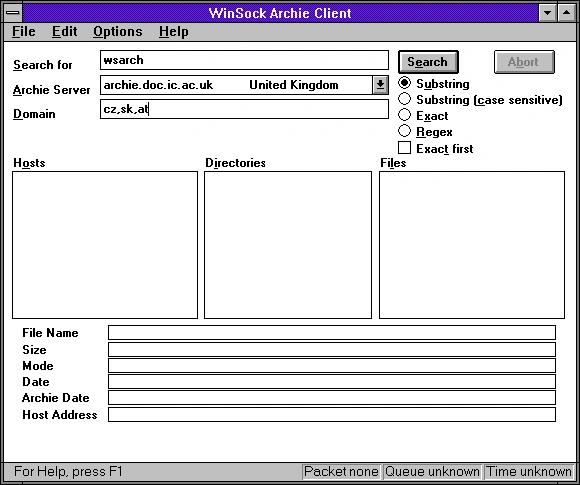
Just a quick fun fact: Did you know that the first internet search engine was Archie?
It was launched on September 10, 1990, by Alan Emtage, a postgraduate student at McGill University in Montreal. It indexed anonymous FTP (File Transfer Protocol) archives, allowing users to find specific files before the World Wide Web existed.
Here’s how it looks:
So much for that. Now, let’s get down to the brass tacks.
Google Search Console
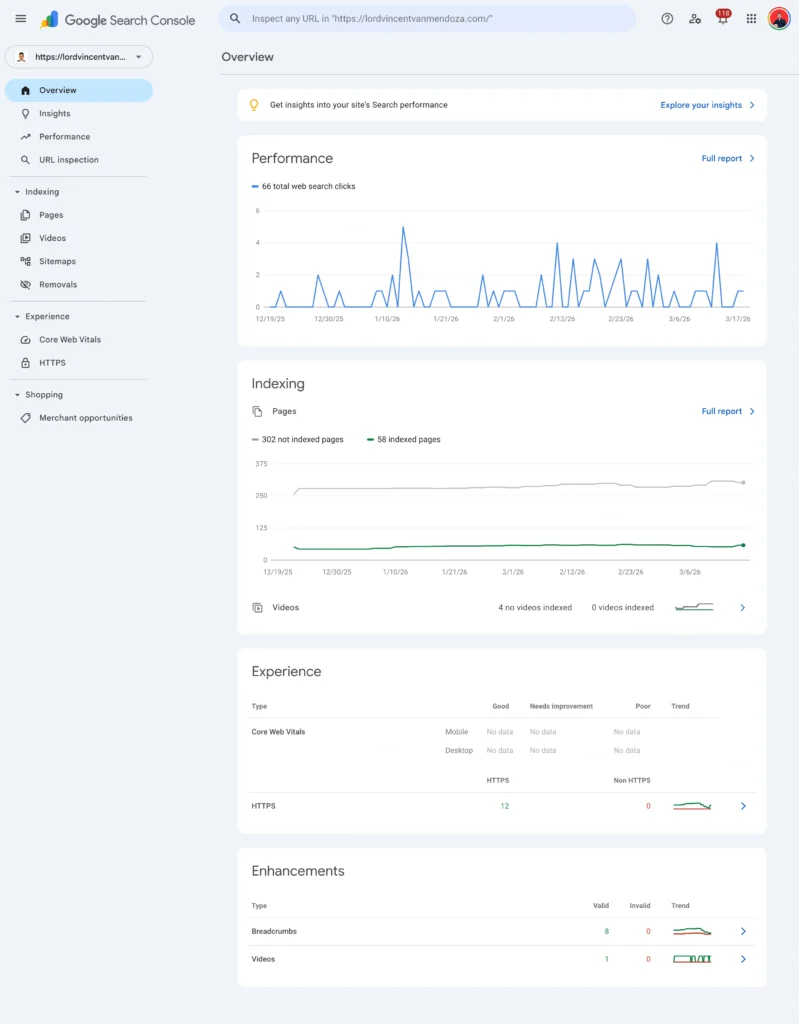
Google Search Console (GSC) is a free tool from Google that helps website owners monitor and improve how their site performs in search results. Formerly called Google Webmaster Tools, it shows how Google crawls, indexes, and ranks your pages, and alerts you to issues that may affect visibility.
Key Features & Data
GSC provides insights such as:
- Backlinks to your site
- Indexed vs. non-indexed pages
- Search queries bringing traffic
- Rankings, impressions, clicks, and CTR
- Alerts for errors, spam, or indexing problems
Core Tools & Reports
- Overview – Snapshot of performance, indexing, and user experience
- Performance – Tracks clicks, impressions, CTR, and rankings with filters (queries, pages, country, device)
- URL Inspection – Checks individual page status and requests indexing
- Indexing (Pages, Sitemaps, Removals) – Monitors indexed pages, submits sitemaps, and manages removals
- Experience (Core Web Vitals, HTTPS) – Evaluates site speed, usability, and security
- Links – Shows internal and external backlinks
- Security & Manual Actions – Reports penalties or security issues
Insights Feature
Focuses on content performance, including:
- Top and trending pages
- Search queries (grouped by intent)
- Traffic sources (Search, Discover, Images, etc.)
- Branded vs. non-branded traffic
Basic Setup
- Create an account and verify your site
- Add users with different permission levels (Owner, Full, Restricted)
How to Improve SEO with GSC
- Submit your sitemap to help Google crawl your site.
- Request indexing for new or updated pages.
- Fix indexing issues by reviewing errors and validating fixes.
Microsoft Bing Webmaster Tools
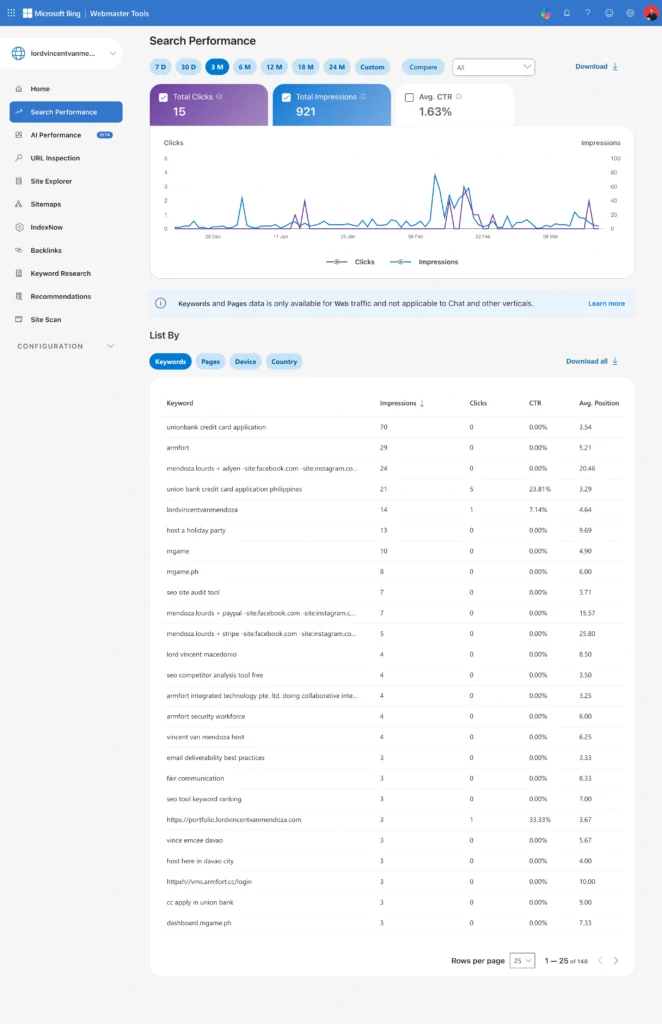
Bing Webmaster Tools is a free platform by Microsoft that helps website owners monitor, analyze, and improve their performance on Bing search results. It functions similarly to Google Search Console but is designed specifically for Bing.
What It Does
It allows you to:
- Track search performance, traffic, and rankings
- Monitor indexing and crawl status
- Research keywords and trends
- Analyze backlinks and compare competitors
- Detect and fix technical SEO issues
- Submit sitemaps and request indexing
- Control crawl rate and manage bots
- Disavow harmful links and block URLs
Why It Matters
Bing is the second-largest search engine and powers platforms like Yahoo and partially DuckDuckGo. It also integrates with Microsoft products, giving access to a unique audience and additional organic traffic opportunities.
Key Tools & Features
- Copilot – AI assistant for insights and SEO questions
- URL Inspection – Checks indexing status and SEO issues for specific pages
- Sitemaps – Submit and monitor XML sitemaps
- Backlinks – Analyze your link profile and compare competitors
- Keyword Research – Discover keywords, trends, and related queries
- Recommendations – Automated SEO improvement suggestions
- Site Scan – Technical SEO audit of your site
- Crawl Control – Adjust how often Bingbot crawls your site
- Block URLs – Temporarily remove pages from search results
- Verify Bingbot – Confirm legitimate crawler activity
- User Management – Assign roles and access to team members
Yandex Webmaster Tools
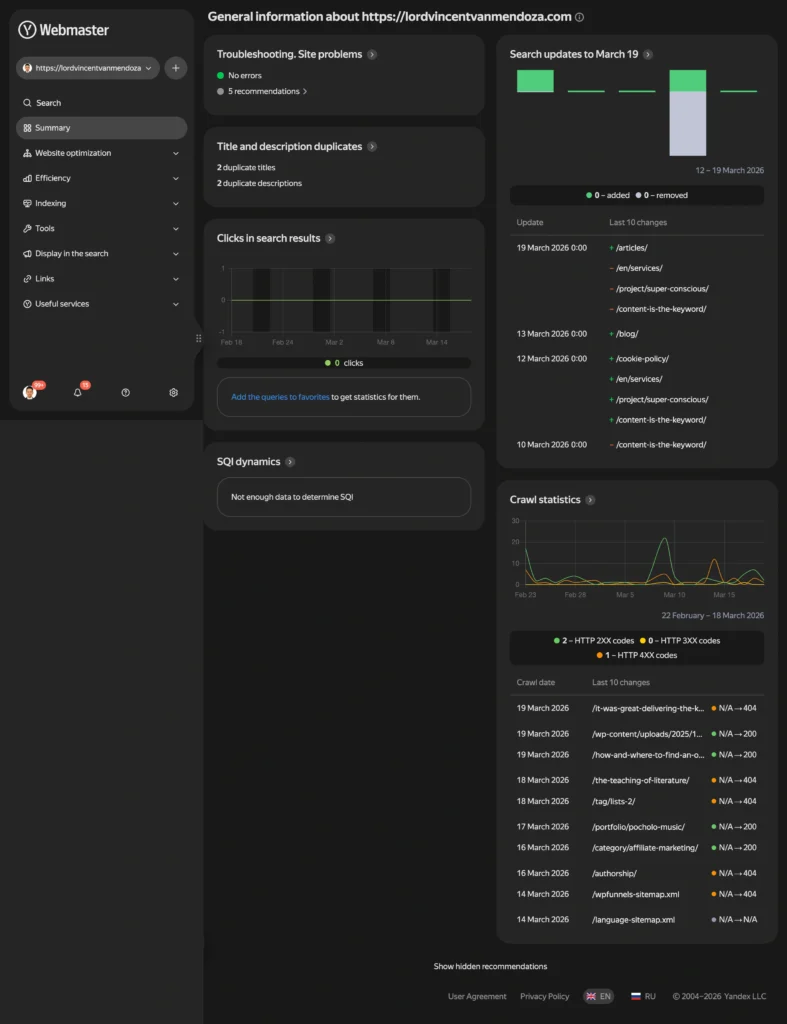
Yandex Webmaster is a free SEO tool from Yandex that helps website owners monitor their site’s technical health and improve rankings in Yandex search results. It’s useful for both content sites and e-commerce platforms.
What It Offers
- Direct search data straight from Yandex (no third-party processing)
- Free access with no hidden costs
- All-in-one analytics tools with detailed segmentation
- Built-in tips and alerts for SEO improvements
Key Capabilities
- SEO monitoring & audits – Detect technical issues (e.g., missing meta tags, 4XX/5XX errors, indexing problems)
- Indexing control – Track how pages are crawled and indexed
- Search query insights – See which keywords bring visibility and track trends
- Content quality checks – Identify duplicates and maintain originality
- Site performance tracking – Monitor popular pages and user engagement
- Mobile usability checks – Ensure proper mobile display
- Competitor comparison – Benchmark your site and find improvement areas
- Structure management – Organize pages into logical sections
- Online store promotion – Feature products in Yandex search for added visibility
Optimization Support
- Provides actionable recommendations in a to-do list format
- Helps improve visibility, traffic, and conversions
- Offers guidance on keywords, snippets, and search appearance
Extra Integrations
Works with other Yandex tools like:
- Yandex Metrica (analytics)
- Yandex Business (business listings)
- Yandex ID (user login system)
Frequently Asked Questions About Webmaster Tools
The must-use tools are Google Search Console, Bing Webmaster Tools, and Yandex Webmaster.
Each search engine has its own data. Using multiple tools gives broader insights and optimization opportunities.
It’s essential, but using Bing and Yandex tools expands your reach and insights.
Yes, all major webmaster tools are completely free.
No, but they help identify issues and optimize your site for better rankings.
You can track performance, indexing, backlinks, keywords, and site health.
Check weekly or whenever you publish new content or see traffic changes.
Yes, they are beginner-friendly with dashboards and recommendations.
No, paid tools offer deeper analysis, but webmaster tools provide core data.
Google Search Console is most important, but using all tools gives better coverage.
If you’re into SEO, you should know our tools of the trade.
If you need help with search performance, talk to an SEM specialist in the Philippines today.
Summarize with AI